How Solo2 works
In Solo2 you do not write to a server: you write to your friend. That is why, to talk, both of you must be connected.
1A normal chat writes to a server
In a regular chat, your message goes to a server and stays there. Your friend picks it up whenever they want, whether online or not. But that server stores it and knows who you talk to.
Animation: in a normal chat, the message goes through a server and a copy stays there. In Solo2, the server only helps the two devices find each other, and the message goes straight from one to the other.
2Solo2 is a walkie-talkie
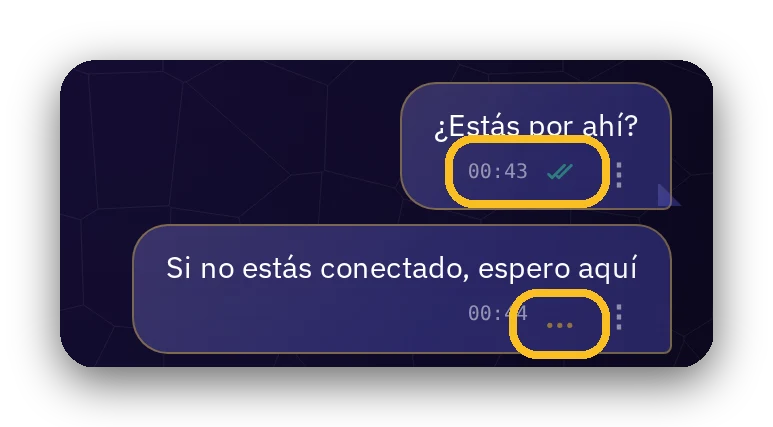
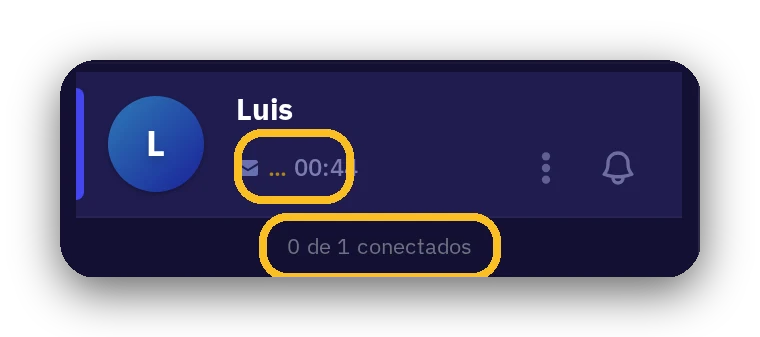
Your message goes straight from your device to your friend's, with no one in between. If your friend is not connected, your message waits on your device, and you see it in the chat with three dots. As soon as they connect, it leaves and the dots change to two ticks: «sent».
Short messages and notifications
A notification is the notice that appears on your screen even if the app is closed. It is delivered by the notification service of your browser or phone (for example, Google or Apple).
With short messages enabled, if your contact is offline, short text (not files) can travel inside the notification, end-to-end encrypted: only your contact's device can open it. Neither we nor that service can read it.
What that service does know is that a notice reached that device, and when; they do not know what it says nor who wrote it. They may keep the encrypted copy up to 72 hours. Our server only holds it a few seconds in memory, and does not store it.
They are enabled by default, and only work if your contact also allows them. You can disable them for all your contacts or only for some.
3Your devices connect by themselves
Log in with the same user on your phone and your computer. As soon as both are connected, they link by themselves and synchronize everything into identical copies: messages, files, and contacts. You do not have to configure anything.
More information: of your devices connected at the same time, one is the «Active» and speaks to your contacts: the last one you used (a keypress, a mouse movement). The other is the «Mirror» and receives everything through the link between your devices.
4Your computer, your server
Leave Solo2 open on your home or office computer and do not let it sleep. Any device left on will do: a browser with Solo2 open or the native app. It receives your messages even if your phone is turned off or out of coverage.
Solo2 on your computer will be the Active when your phone is not connected, and the Mirror when your phone is connected.
5And that is how it works like any chat
With a device always on, your friends can write to you whenever they want, just like in any other chat. The difference is that this «server» is yours, sits in your home, and everything is encrypted.